Bookmark YouTube timestamps in seconds
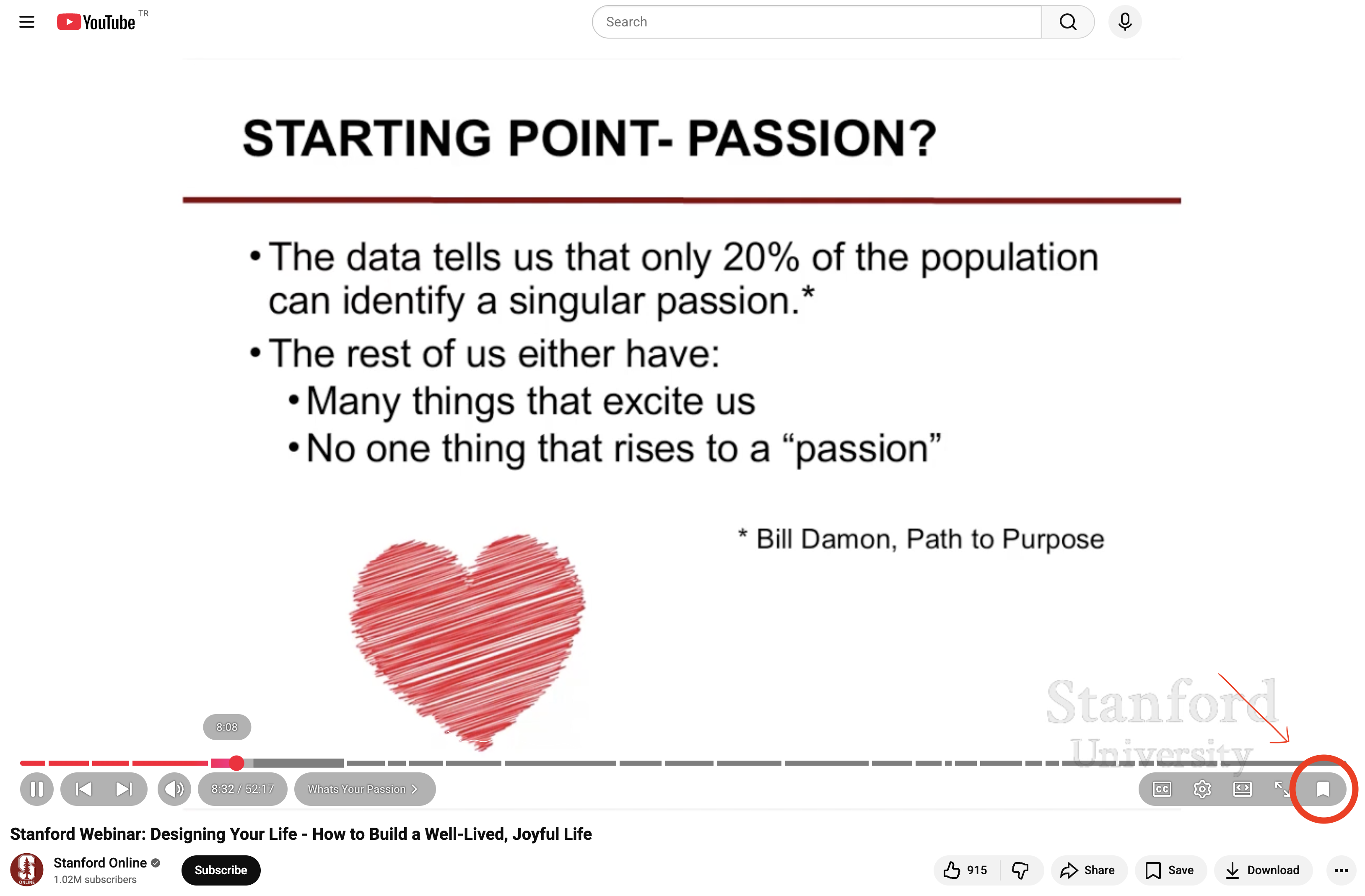
YouTube Video Bookmarker lets you save any moment in a YouTube video as a timestamp bookmark. Add a title, manage bookmarks per video, and click to jump back to key moments instantly—perfect for studying, research, tutorials, and long videos.
One-click timestamp bookmark
Save the current video time instantly with a simple Bookmark button.
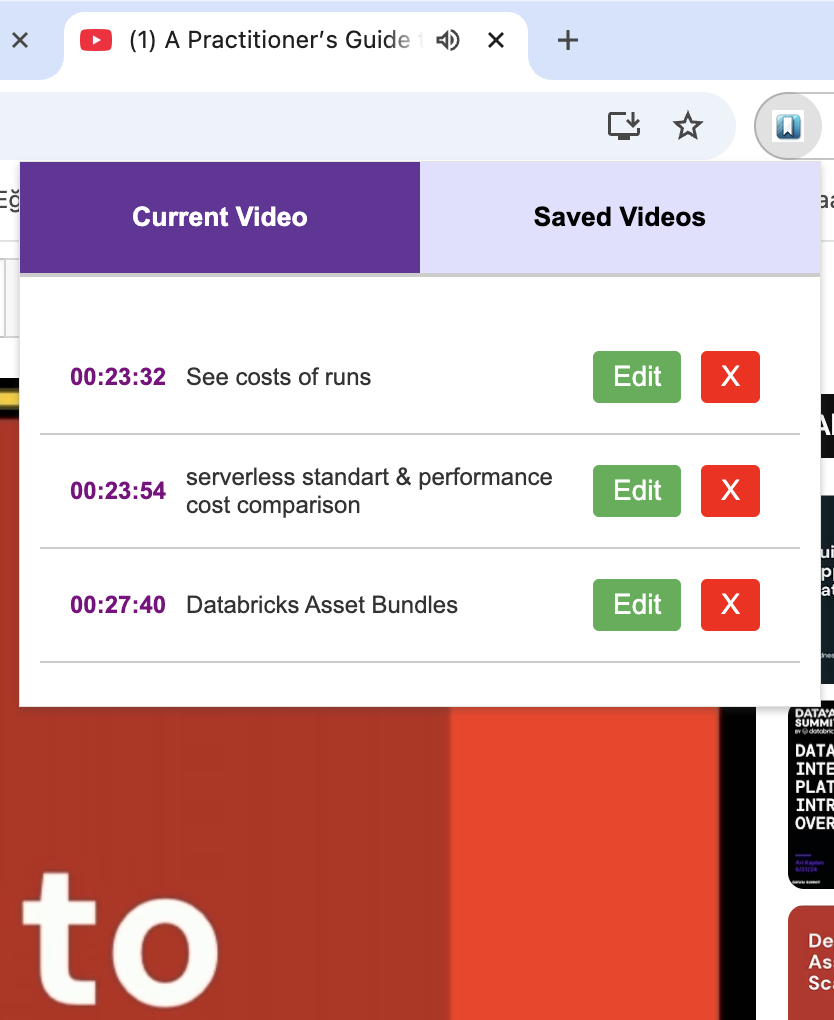
Title & organize moments
Rename bookmarks so you can find important moments fast.
Jump back to key moments
Click any saved bookmark to jump directly to that timestamp.
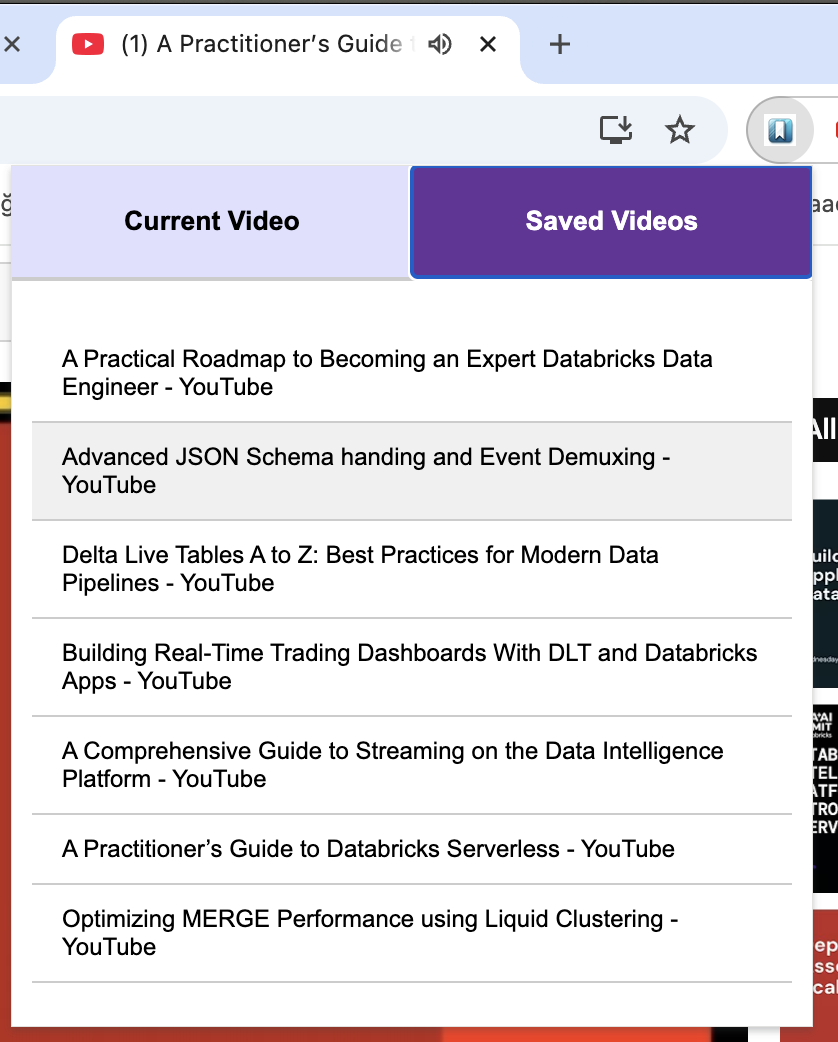
Saved Videos view
See all videos you bookmarked and reopen them anytime.
Features
Common searches this solves: “bookmark YouTube timestamps”, “save timestamp in YouTube”, “jump to key moments in a YouTube video”, “YouTube timestamp notes”, “organize YouTube bookmarks by video”.
- Bookmark timestamps: Save the current time in a YouTube video with one click.
- Title your bookmarks: Add or edit titles for each saved moment.
- Per-video bookmark list: See all bookmarks for the current video in one place.
- Jump to saved moments: Click a bookmark to seek the video to that exact timestamp.
- Saved Videos page: View all videos that have at least one bookmark.
- Local storage: Bookmarks persist across browser sessions on your device.
How it works
A simple workflow designed for long videos, lectures, tutorials, interviews, and research.
Who it’s for
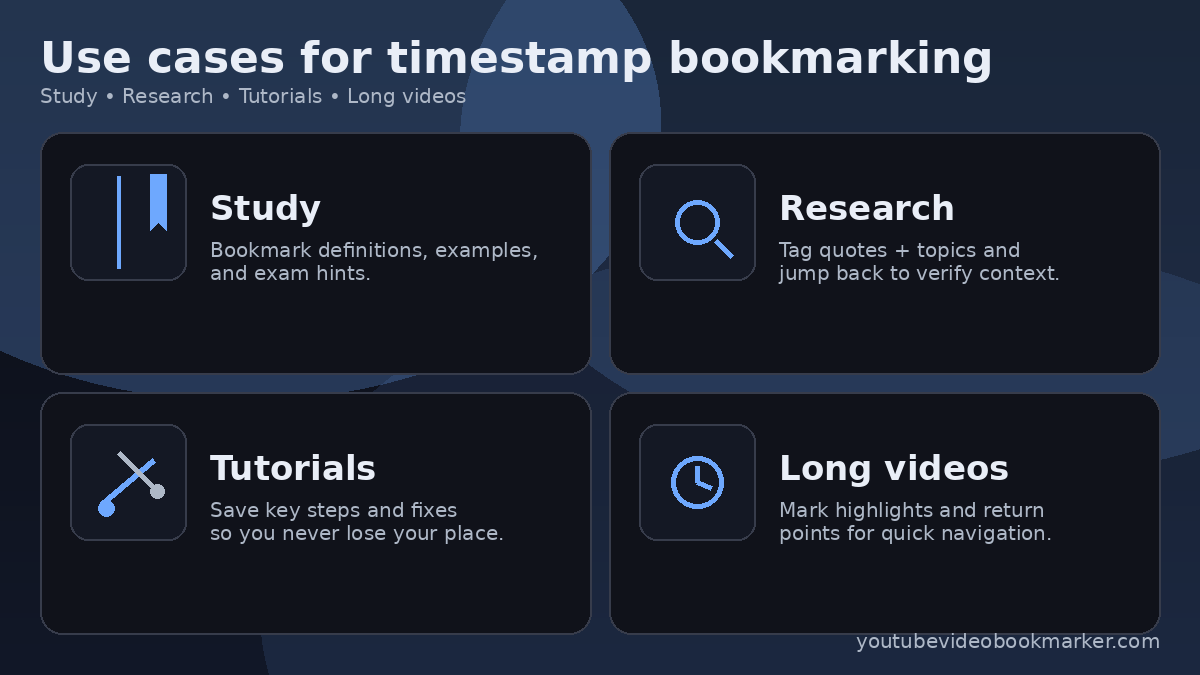
- Students: Save lecture highlights and definitions.
- Researchers: Tag quotes, references, and key arguments.
- Tutorial viewers: Bookmark important steps and return points.
- Anyone watching long videos: Quickly jump to the best moments.
FAQ
Can I bookmark a YouTube video at a specific time?
Yes. Install the extension, play a video, and click the Bookmark button to save the current time.
Can I rename or edit bookmarks?
Yes—edit bookmark titles to make key moments easy to find.
Where are my bookmarks stored?
Bookmarks are stored locally in your browser so they persist across sessions on your device.
Can I see bookmarks from other videos?
Yes—use the Saved Videos view to find any video you bookmarked and jump back to the saved moments.
Does it work for studying, research, and tutorials?
Yes—timestamp bookmarks are especially useful for lectures, long tutorials, interviews, and research workflows.
Guides & workflows
Short, practical reads on bookmarking YouTube timestamps—built around real use cases like tutorials, studying, and research.
How to bookmark timestamps in YouTube videos (Chrome)
Step-by-step guide to saving moments, titling them, and jumping back instantly.
Best way to save key moments in long YouTube tutorials
A simple 3-part system to never lose “that one step” again.
Study workflow: timestamp bookmarks for lectures
A fast revision routine using DEF / EX / HINT bookmark types.
Research workflow: tag and return to quotes in videos
Capture quotes with topic tags, then jump back to verify accuracy and context.
Language versions
Browse localized pages for better reading and search discovery.
Privacy
Single purpose: YouTube Video Bookmarker helps you save, title, and revisit key moments in YouTube videos by bookmarking timestamps and jumping back to them instantly.
- Data: Bookmarks are stored using Chrome extension storage so they persist across sessions.
- Permissions: We use minimal permissions required for bookmarking on YouTube.
- YouTube-only access: Host permission is limited to
https://www.youtube.com/*to enable the bookmark button and timestamp capture.
Full details: Privacy policy • Contact: info@youtubevideobookmarker.com